Routes
A route is a name an engineer’s tool asks for in place of a model. You choose the name, the model it runs on, and who may use it.
The route list is the whole of what a deployment permits. A name that is not a route is refused, and that includes a real model id. There is no “allow any model” switch anywhere, so a deployment with no routes refuses every request.
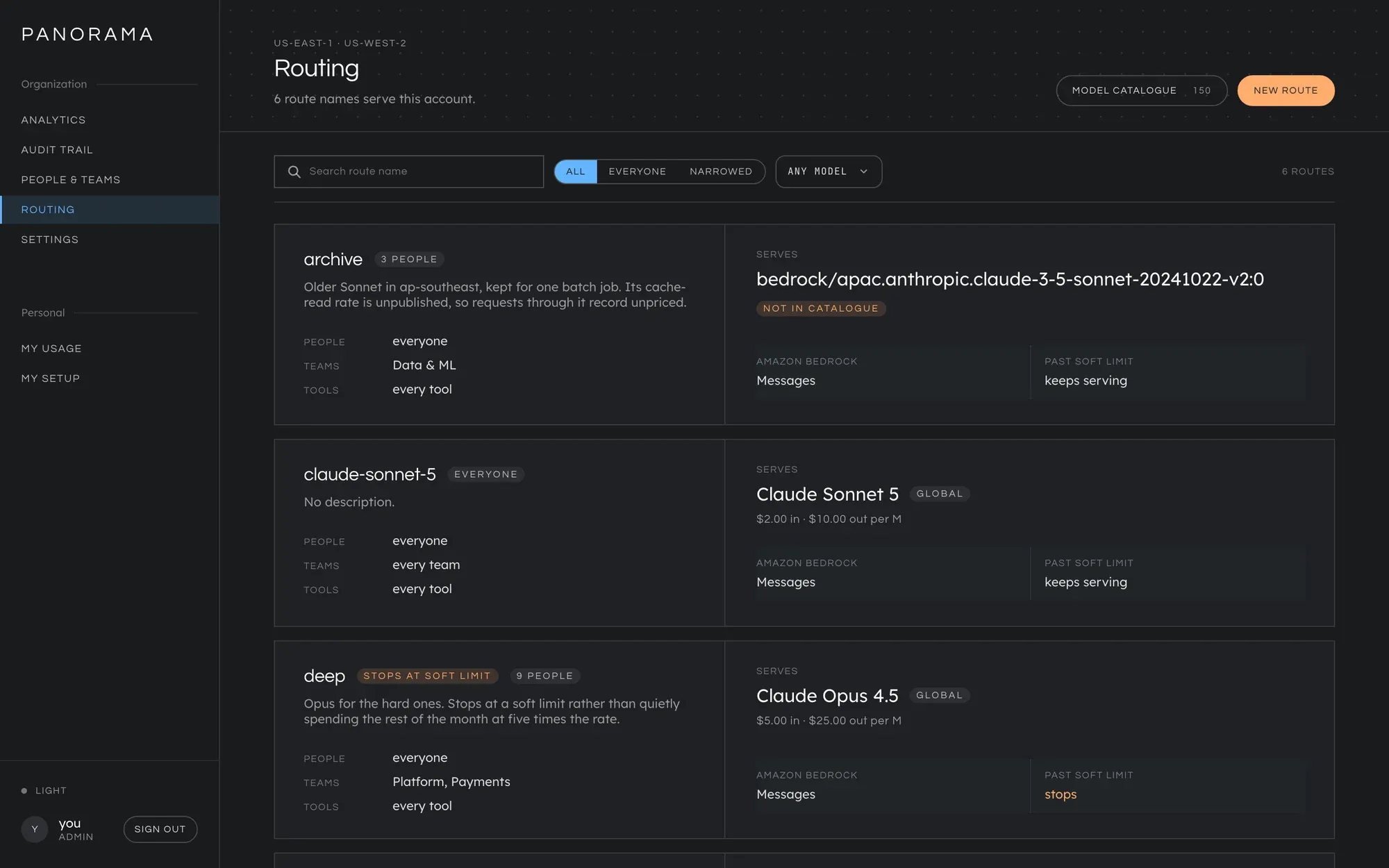
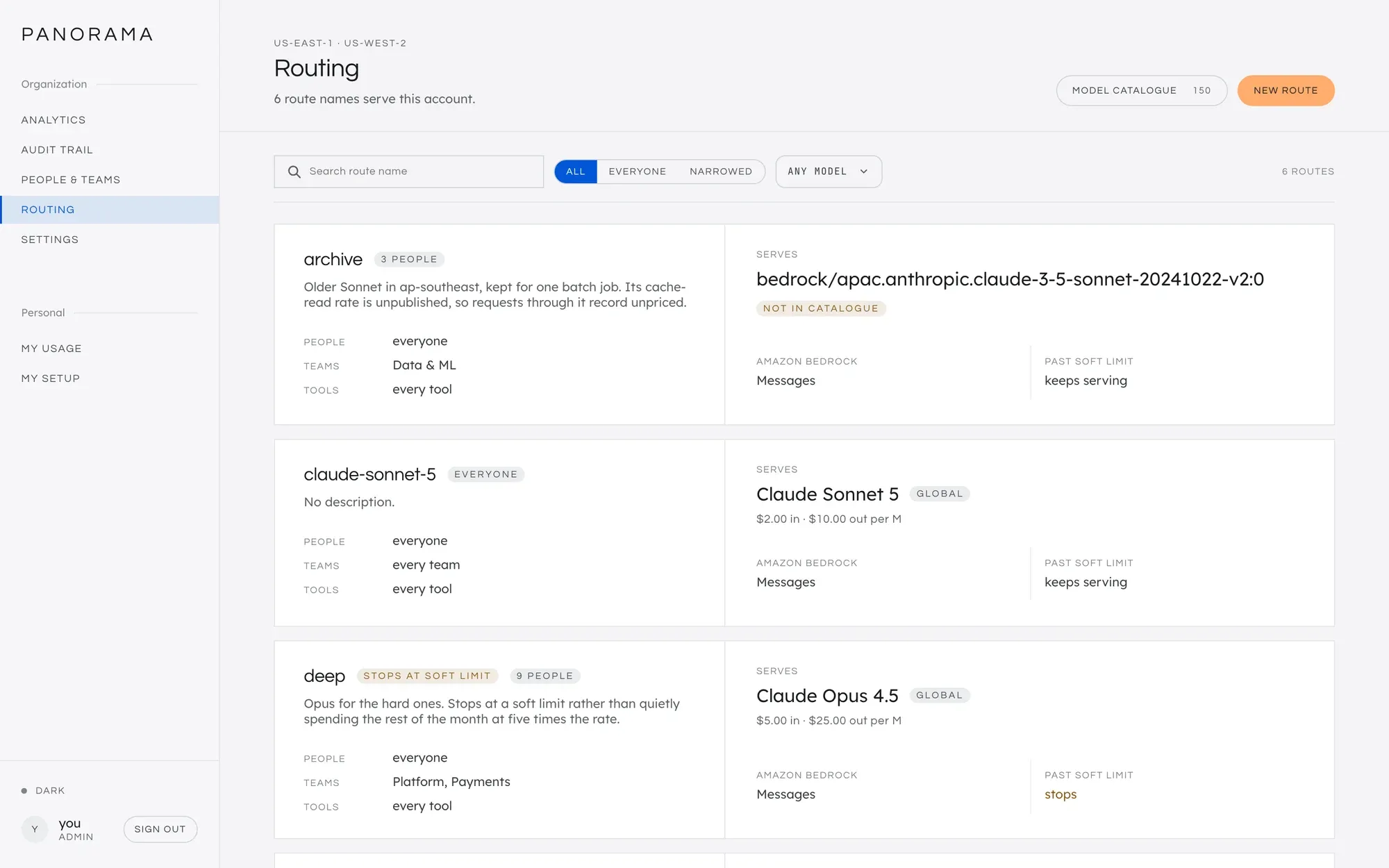
A typical set
Section titled “A typical set”| Route | Runs on | For | Past a soft limit |
|---|---|---|---|
standard |
Claude Sonnet 5, us. profile |
everyone | keeps serving |
fast |
a cheaper model, global. profile |
everyone | keeps serving |
deep |
Claude Opus 5 | the platform team | stops |
Engineers set standard for everyday work and fast for the background
requests their tool makes on its own. Not every model works behind a route
for every tool: see Choose a model your tools can use
before you pick the cheap one. When the platform team’s budget passes
its soft limit, deep stops, and its engineers are told to switch to
standard or fast.
You can change the model behind standard at any time. Nobody reconfigures
anything.
Create a route
Section titled “Create a route”On Routing, press New route.
- Route name. Letters, digits, hyphens and underscores. It cannot be changed later, because it is what every laptop has typed in. See names to avoid.
- Description, for the next administrator.
- Model. Press Browse models and Select one. The list shows only models this deployment can actually serve: available, streaming, and speaking an API the gateway serves. It comes from the model catalogue, so if it is empty, set up a model provider first.
- Past a soft budget limit: Keeps serving or Stops. See below.
- Conditions, if the route is not for everybody. See below.
- Press Create route.
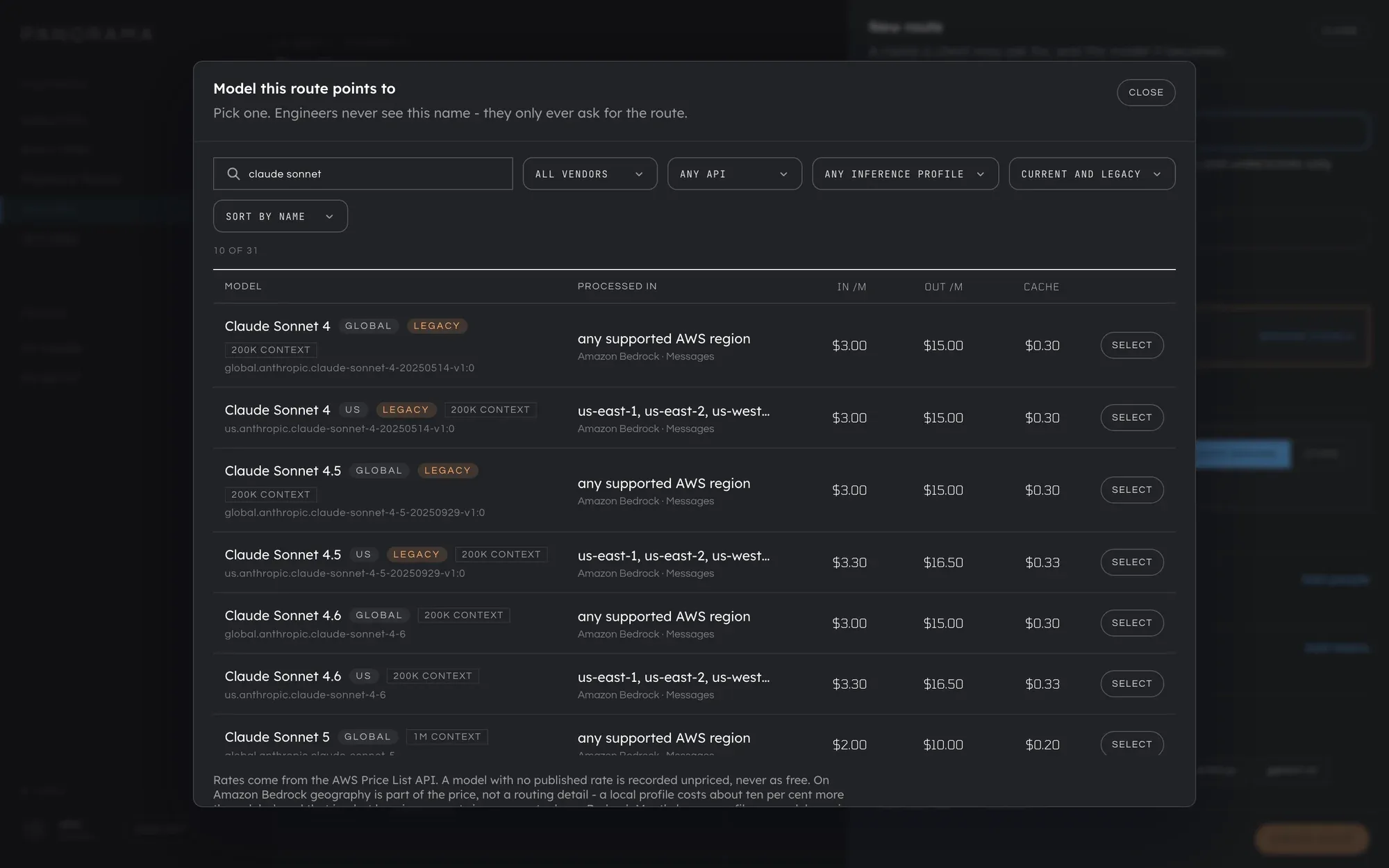
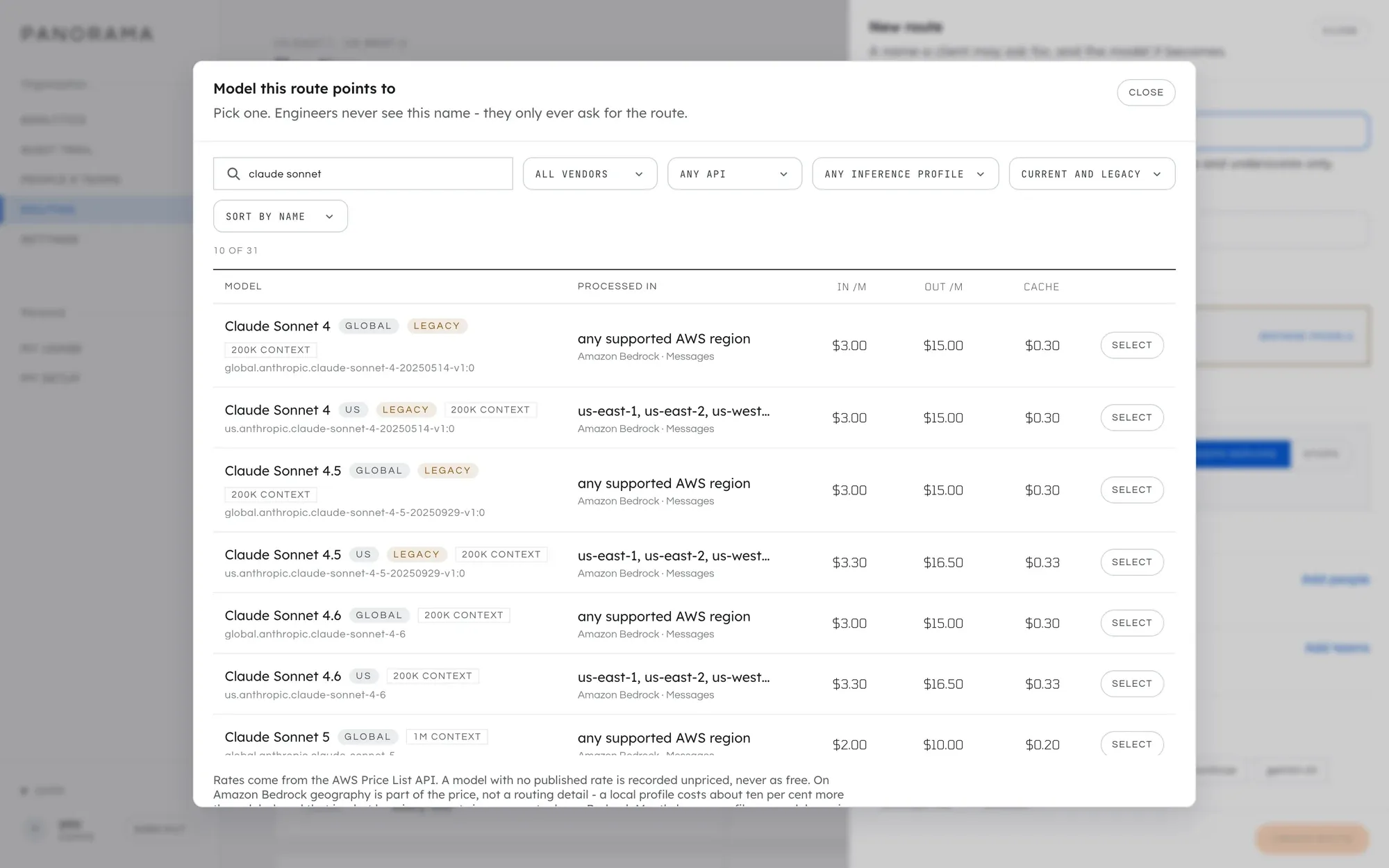
It takes effect within a second, on every replica. Engineers pick it up on My setup.
Choose a model your tools can use
Section titled “Choose a model your tools can use”The catalogue lists every model this deployment can serve. Whether a coding tool can use one through a route is a second question, and for Claude Code the answer is narrower than the list.
Name a route for Claude Code after its model, for example
claude-haiku-4-5-20251001. Claude Code prepares each request for the model
it recognises by name, and treats any other name as its newest model, which
an older model behind the route refuses. When the route’s tool condition
includes claude-code, the route editor shows the name to use and a Use
this name button. See
Name a route after its model.
So after creating a route, send one request through it from the tool your
engineers use, and look at it on the Audit trail. A row, or a request
inside one, reading upstream returned 400 on a new route is this.
Narrow a route to some people
Section titled “Narrow a route to some people”Under Conditions, a route can name People, Teams and Tools. Leave all three empty and the route is for everyone.
Every condition you set must match. A route naming Priya and the platform team admits Priya while she is on that team, and nobody else. Adding a condition always makes a route narrower, never wider.
Within one condition, any match will do: a route naming two teams admits members of either.
A route somebody may not use is invisible to them. A request for it is refused exactly as though the name did not exist, and the refusal lists only the routes that caller can use. Developers see only their own routes on the Routing screen, and never see the conditions, since those name colleagues.
Decide what happens past a soft limit
Section titled “Decide what happens past a soft limit”A soft limit is a warning line. Each route chooses what it does once a budget governing the caller has crossed one:
- Keeps serving (the default). Requests are served and carry a warning header. Only a hard limit blocks.
- Stops. The route is refused until the budget resets. Use this on your expensive route.
The model never changes underneath an engineer. When a route stops, their tool
shows a message like this, and they switch with /model in Claude Code or the
model list in opencode:
Panorama is not serving "deep": the monthly team budget is past its soft limit.
Your team has used $812.40 of the monthly $800.00 limit.The limit resets at 2026-10-01 00:00 UTC (in 11 days).
Routes still served: fast, standard.
Switch to one of them and carry on - /model in Claude Code, or the model listin opencode; both already have every route you can use.
The list is computed for that person in that budget state, so it never offers a route that would also refuse them.
If a stopping route has no alternative, saving warns you. A route that stops, with no serving route available to the same people, leaves them with nowhere to go past the soft limit. That is a legitimate way to say “past the warning line, stop”, and it is also what forgetting the second route looks like, so Panorama saves the route and tells you. The check is made per person: five cheap routes do not help a team whose only route names them alone.
Names to avoid
Section titled “Names to avoid”Claude Code resolves some names itself before sending a request, so a route with one of these names is never asked for. The console refuses them:
default, best, fable, sonnet, opus, haiku, opusplan,
sonnet[1m], opus[1m]
standard is the usual name for an everyday route used by opencode or Codex.
For Claude Code, use the model’s name instead (see above).
Which endpoint a route is served on
Section titled “Which endpoint a route is served on”A route is served only on the APIs its model speaks. A Claude route is served
at /v1/messages. A model that speaks OpenAI’s APIs is served at
/v1/chat/completions or /v1/responses. The route editor shows which, under
Served on.
A request for a route at the wrong endpoint gets a 400 that names the right one. Panorama does not translate between the Anthropic and OpenAI request shapes.
Delete a route
Section titled “Delete a route”Open the route and press Delete route. There is no confirmation. Tools still asking for that name are refused from the next request, so point people at the replacement first.
Routes as a file
Section titled “Routes as a file”Routes and budgets can be managed as a YAML file instead of through the console:
routes:  - name: standard    description: What every engineer gets.    model: bedrock/us.anthropic.claude-sonnet-5
- name: deep model: bedrock/us.anthropic.claude-opus-4-6 teams: [platform] serves_over_soft: falsepanorama policy check -f policy.yaml # validate, change nothingpanorama policy apply -f policy.yamlBoth commands check every model against the catalogue, exactly as the console does. See the Policy file reference.
apply prints what it did, for example 1 added, 0 updated, 0 removed, 2 unchanged. An entry identical to what is stored is not written, so applying
the same file on every deploy reports everything unchanged. A running gateway,
every replica of it, serves the change within a second of apply finishing.
What goes wrong
Section titled “What goes wrong”The model list is empty when creating a route. Nothing has been discovered. Check Settings → Model providers, then Refresh catalogue.
A route shows provider not serving or not in catalogue. Its provider is
off or failing, or a region change left it pointing at a model the new region
does not list. Requests for it get a 502 that tells the engineer the fault is
the deployment’s and not theirs. Point the route at a model that exists.
Every request on a new route fails with “The model provider rejected this request”. The model behind it does not accept what the engineer’s tool sends. See Choose a model your tools can use.
An engineer is refused a route that exists. They are outside its conditions, or they asked for a model id. See When a request is refused.
Why it works this way
Section titled “Why it works this way”Design decisions covers why a route stops and does not swap models, and why there are no fallback chains.
This manual is licensed underCC BY 4.0. Code samples in it are part of Panorama, licensed under theGNU AGPL v3.0 only.