On your laptop
This runs Panorama on your own machine with Docker Compose, your own AWS
credentials and no identity provider. It is for working on Panorama, or for a
look at the console before you deploy it. Nobody else can use it: it signs you
in with a development account that only works on localhost.
To deploy it for a team, use the Quickstart, which
deploys on AWS, or Deploying on a server. To change
Panorama’s code, make dev runs a stack with hot reload; see CONTRIBUTING.md
in the repository.
Before you start
Section titled “Before you start”- Docker, running.
- AWS credentials that can invoke Amazon Bedrock, and the AWS CLI v2. The permissions Panorama needs are in Requirements. Administrator credentials on a sandbox account are fine.
- A coding tool: Claude Code, opencode or Codex CLI.
Start it
Section titled “Start it”git clone https://github.com/dnxlabs/panorama.gitcd panoramacp deploy/compose/.env.example deploy/compose/.env.env.example is the template, with a comment on every setting. Its name starts
with a dot, so ls hides it; ls -a deploy/compose shows it.
Add three things to deploy/compose/.env: a region, your AWS credentials, and
a sign-in for this machine.
echo "AWS_REGION=us-east-1" >> deploy/compose/.envaws configure export-credentials --format env-no-export >> deploy/compose/.envecho "PANORAMA_DEV_SIGN_IN_AS=you@example.com" >> deploy/compose/.envUse the region you invoke Bedrock in. It can be changed in the console later.
The second line exports whatever your current AWS profile resolves to, an SSO
session included. If those credentials are temporary, run it again and up -d
again when they expire.
Start it. The compose file builds from source, so the first run takes a few minutes:
docker compose -f deploy/compose/docker-compose.yml up -d --buildcurl localhost:8088/healthzSign in
Section titled “Sign in”Open http://localhost:8088 and press Sign in as the development account,
at the bottom of the card. Ignore the one-time code above it, which is how a
real deployment connects its identity provider.
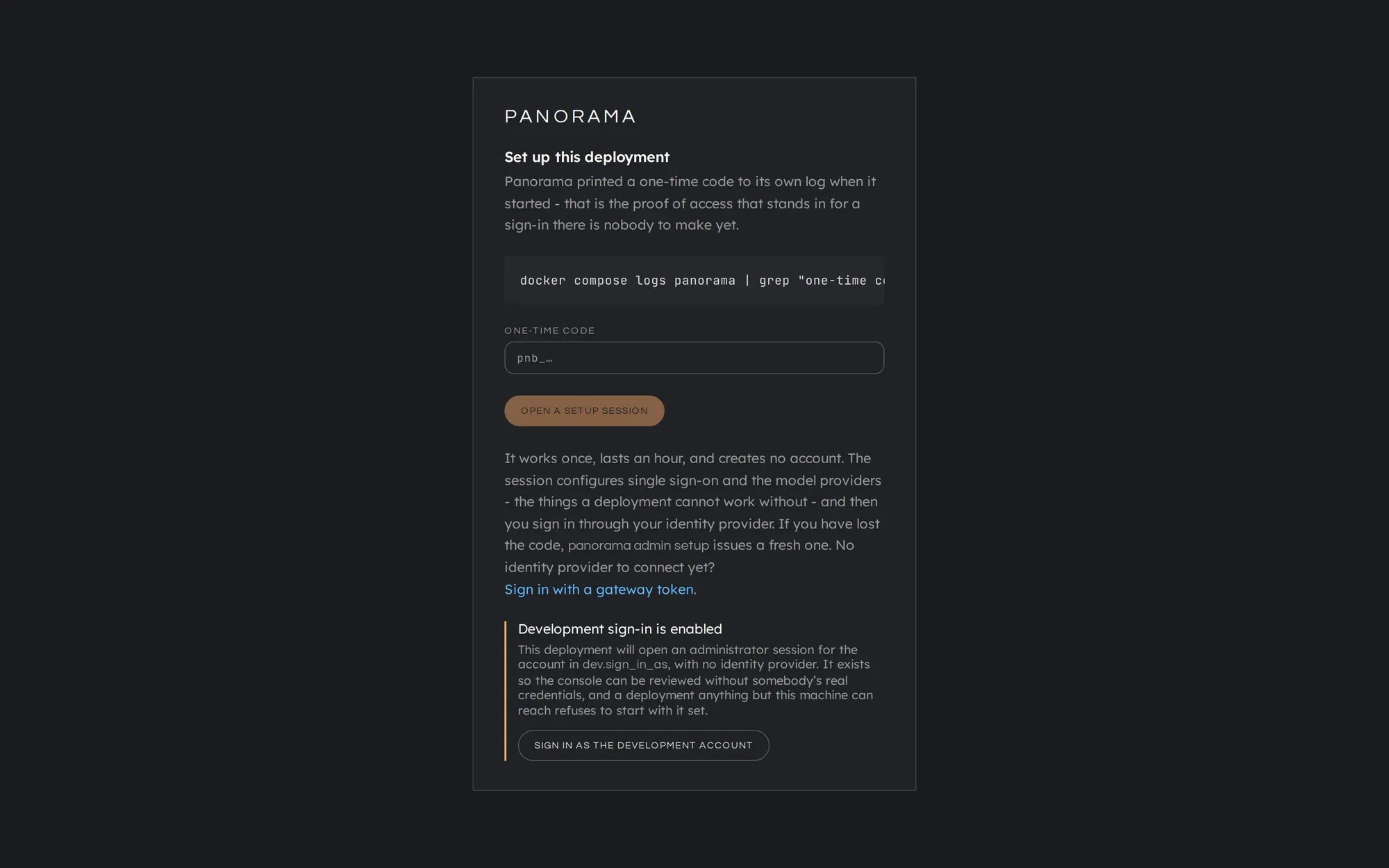
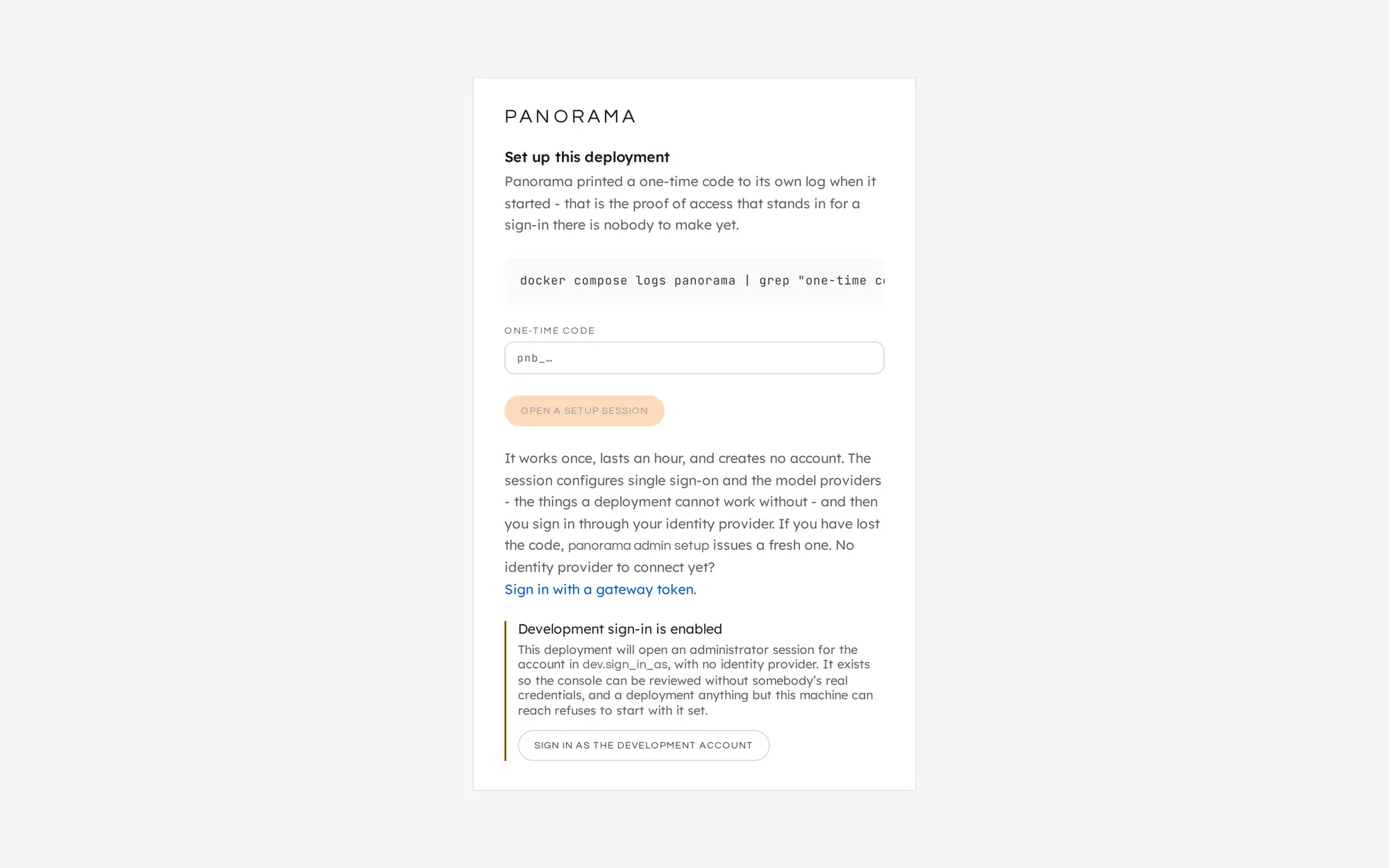
You land on Analytics, as an administrator. From here, follow the
Quickstart from
Check that Panorama can reach Bedrock
onwards: the console is the same. If the check fails, the usual cause on a
laptop is temporary credentials that have expired: run the
aws configure export-credentials line and up -d again.
Clean up
Section titled “Clean up”docker compose -f deploy/compose/docker-compose.yml down -vrm deploy/compose/.env-v deletes the database volume. Removing .env removes the credentials you
exported.
This manual is licensed underCC BY 4.0. Code samples in it are part of Panorama, licensed under theGNU AGPL v3.0 only.